
eSIM Finder helps travelers find and buy travel eSIMs for 190+ countries and regions — and now you can do it without leaving your AI assistant. Connect eSIM Finder to Claude or ChatGPT and you can search plans, compare prices in your currency, and get a checkout link, right inside the chat.
eSIM Finder is a travel eSIM app that's also available inside AI assistants like Claude and ChatGPT.
Here is what that means — and how to set it up in about a minute.
What is the eSIM Finder AI connector?
The eSIM Finder AI connector is a tool that lets an AI assistant search the eSIM Finder travel catalog for you. Once you connect it, Claude or ChatGPT can look up travel eSIM plans for any destination, compare data and prices in your currency, and give you a link to buy the one you pick — all inside your conversation.
It is read-only and anonymous: no account, no sign-up, and it never sees your name, email, or chat history. "Connector" is simply the word for a tool an assistant can plug into — this one uses an open standard called the Model Context Protocol (MCP), so it works across assistants, not just one app.
Which AI assistants can I use eSIM Finder with?
You can use eSIM Finder with Claude and ChatGPT today, plus any other AI assistant that supports custom connectors using the Model Context Protocol (MCP). The connector URL and sign-in are the same everywhere, so once you have added it in one assistant, the steps are almost identical in the others.
What can I do with a travel eSIM inside an AI assistant?
Quite a lot — from finding a destination to getting a checkout link. The connector gives your assistant five simple abilities:
- "Where can I go?" — lists every destination: single countries, regional bundles, and the annual Travel Pass. (List supported countries)
- "Find me a plan" — searches plans for a destination, filtered by data or validity, priced in your currency. (Search eSIM plans)
- "Tell me more about this one" — returns the full details of a single plan: data, validity, price, and plan type. (Get plan details)
- "Give me a link to buy" — builds a checkout link for the plan you picked, in your chosen currency. (Create checkout link)
- "How does this work?" — answers product questions: device compatibility, the Travel Pass, regional coverage, and more. (Get eSIM Finder info)
Prices support 40 currencies (the default is USD) and reflect the most recent catalog sync, so they can differ slightly from the final checkout price.
How do I connect eSIM Finder to Claude?
In Claude, open Settings, add a custom connector, paste the eSIM Finder URL, and click Allow. It takes about a minute.
- Open Settings → Connectors → Add custom connector.
- Enter the connector URL: https://mcp.esimfinder.io/api/v1/mcp
- Claude opens a consent screen — click Allow. (Sign-in uses the OAuth 2.1 standard and stays anonymous.)
- Start asking — for example, "Show me 5 GB eSIM plans for Italy in EUR."
How do I connect eSIM Finder in ChatGPT?
In ChatGPT, open Plugins, search for eSIM Finder, and connect — there is no URL to paste, because it is published in the ChatGPT plugin directory.
- In ChatGPT, open Plugins and search for eSIM Finder.
- Open it and click Connect — no URL to paste.
- ChatGPT opens a consent screen — click Allow.
- Just ask — for example, "Find me a 5 GB eSIM for Italy in EUR."
Any other assistant that supports custom MCP connectors can use the same URL and sign-in. Full setup details live on the eSIM Finder for AI assistants page.
What can I ask my AI assistant?
Once the connector is added, just ask in plain language — there are no commands or codes to remember. A few prompts to try:
- "I'm travelling to Japan for two weeks — what eSIM data plans do you have, and which is best value?"
- "Show me 10 GB eSIM plans for Spain in GBP and give me a link to buy the cheapest one."
- "Which destinations does eSIM Finder cover in the Middle East?"
- "Explain the difference between the Unlimited Essential and Premium Unlimited plans."
- "Is the Annual Travel Pass right for someone who travels to a new country every month?"
Do I need an account to use the eSIM Finder connector?
No. There is no eSIM Finder account and no sign-up. The connection is anonymous — you approve it once on a consent screen, and the connector works without ever collecting your personal details.
Your searches, the plans you look at, and the checkout link all stay in your own chat. The connector does not build a profile of you.
Is the eSIM Finder connector free?
Yes. The connector itself is free to use. You only pay for the travel eSIM plan you choose, at checkout, in the currency you select — 40 currencies are supported, with USD as the default.
Prices shown in the chat reflect the most recent catalog sync and can differ slightly from the final checkout price, for example because of currency conversion or local taxes.
Is it safe to buy a travel eSIM through an AI assistant?
Yes. The connector is read-only and anonymous, and it is secured with the OAuth 2.1 standard. It can search plans and build a checkout link, but it cannot change anything, cannot take a payment, and never sees your name, email, or conversation history.
You stay in control the whole way: the assistant hands you a link, and you complete the purchase yourself on our partner's secure checkout page. Payment is handled there — the connector is never part of it.
Good to know before you buy
A travel eSIM from eSIM Finder is data-only, so a few things are worth knowing before you buy — whether you do it in the app or through an assistant:
- Your plan is data-only. You keep your normal number on your main SIM for calls and texts.
- Your phone must be eSIM-compatible and network-unlocked. New to eSIMs? Start with our travel eSIM beginner's guide.
- Install before you travel, while you have Wi-Fi — you need an internet connection to set up the eSIM.
- When you land, turn on Data Roaming for your travel eSIM so it can connect abroad.
- Coverage spans 190+ countries and regions.
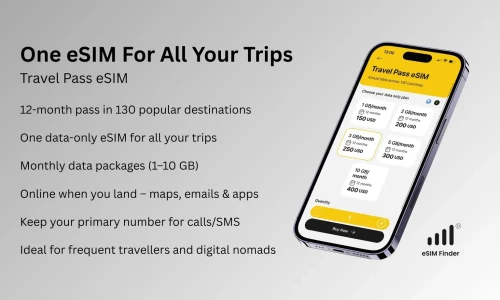
Travelling often? The Annual Travel Pass is one reusable eSIM for ~130 destinations over 12 months.
Want to keep your existing number active while you travel? Here is how that works. For more common questions, see the eSIM Finder FAQ.
Ready to go?
The eSIM Finder app helps you find and buy travel eSIMs for 190+ countries and regions, including the Annual Travel Pass for frequent travelers. Prefer your browser? You can browse plans on the web too.
Already chatting with an AI assistant? Add the connector and ask away — full setup details are on the eSIM Finder for AI assistants page.